Eight steps to play, write and keep a rhythm in Batruc. Names in quotes are the ones the interface shows.
1. Start · the seed
Open Batruc and click “Play”. The seed — the eight-character code in the header — writes the whole composition: kick, snare and hi-hat figures, the bass key and the form across seven cycles.
“New seed” draws another composition.
Type a code in the seed field and press Enter to return to a known seed.
“VOICES” chooses how many voices play.
2. RHYTHM or GENERATIVE
The mode button in the header switches between the two ways of playing.
“RHYTHM” plays exactly what is written: cells, MIDI, figures. Nothing acts behind your back.
“GENERATIVE” adds the field masks, the intensity laws and the form.
“GEN”, in the bottom bar, sets the depth of GENERATIVE (30 % to start).
3. Read and edit in the Study
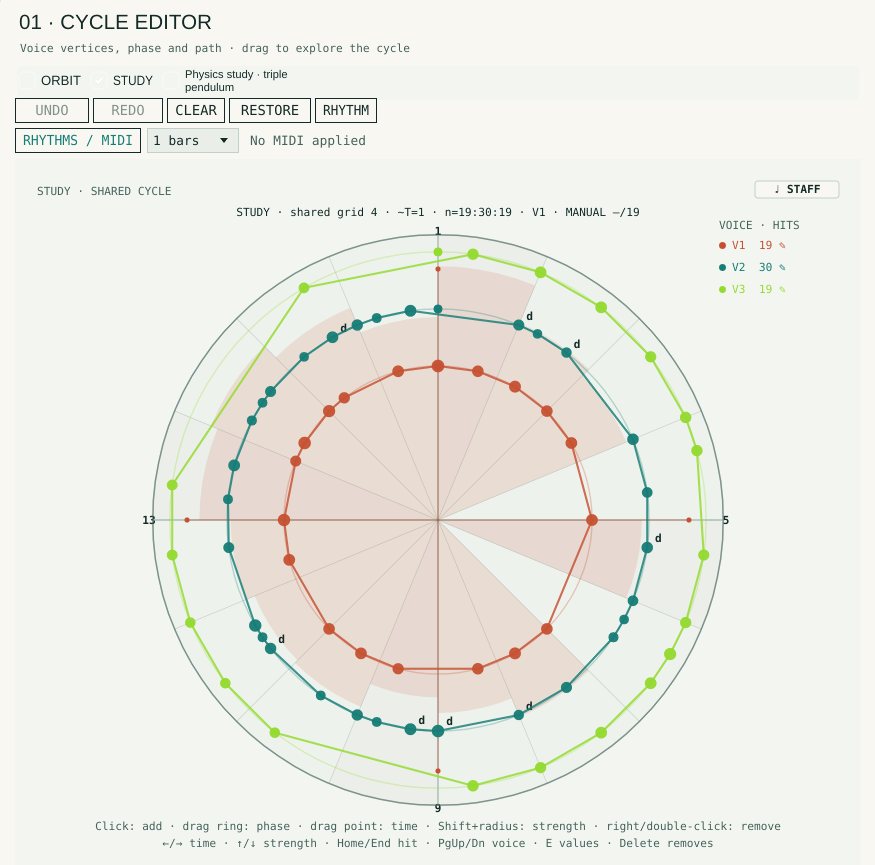
In “Compose”, “STUDY” shows the shared cycle: each voice is a ring, each dot an attack.
Click an empty part of a ring to add an attack; right-click or double-click a dot to remove it.
Drag a dot to move that attack only; drag an empty part of the ring to shift the whole stem.
Shift + drag inwards or outwards sets the strength.
“UNDO”, “REDO”, “CLEAR” and “RESTORE” act on the selected voice.
4. Other figures
The Study's “RHYTHM” button opens the writing menu for the selected voice.
Euclidean redistribution of the cell's attacks.
“Write pendulum figures” or figures “from another model”: billiard, Lissajous, Fourier, rolling curves.
“RHYTHMS / MIDI” brings a rhythm from the catalogue (Groove MIDI Dataset) or a MIDI file of your own.
5. The snare
Ornaments are stored on the note: one mark per attack, and the strokes are born at playback.
In the Study's “RHYTHM” menu: “Ornament (snare)”, “Snare groove (genre)” — frevo, maracatu, baião — and “Measured microtiming”.
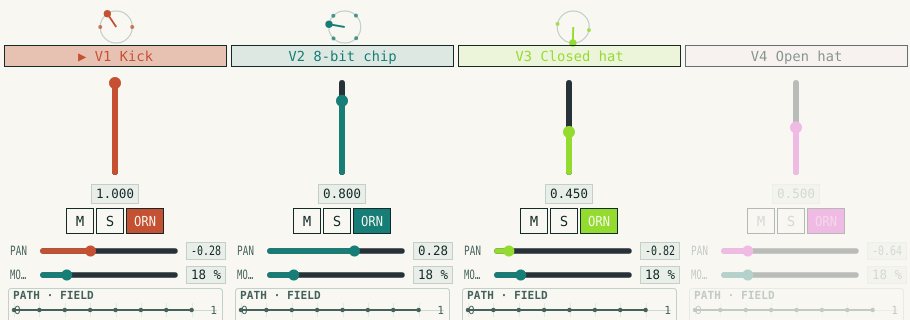
In the “Mixer”, each stem's “ORN” button switches between the plain beat and the full snare.
6. The bass and the key
The seed chooses a key — twelve tonics and ten modes — and the bass follows the composition.
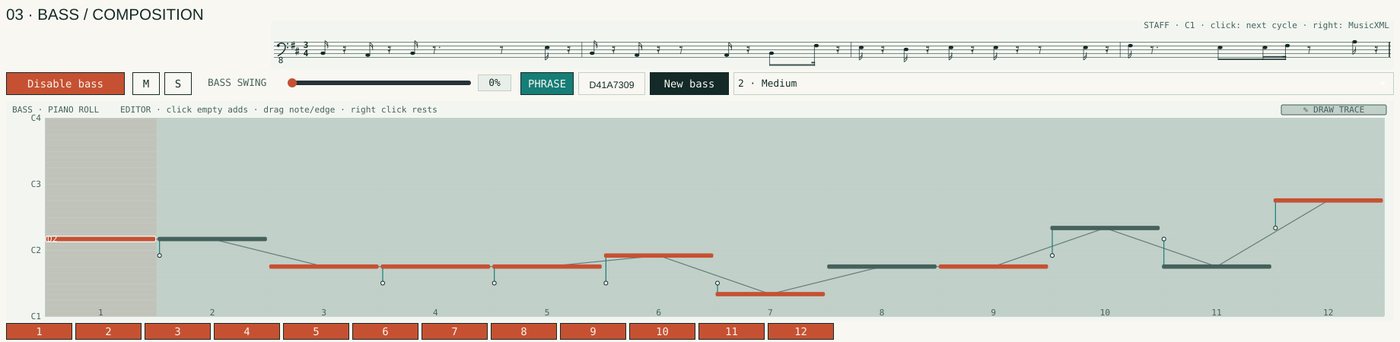
In the “Bass” tab, “PHRASE” (on by default) gives the bass its own voice: a degree progression, answers and passing notes.
The bass staff, 16 beats long, sits above the graph; right-click it to export MusicXML.
In the “Mixer”, “DRUMS IN KEY” tunes the percussion to the seed's key (off by default).
7. The drum staff
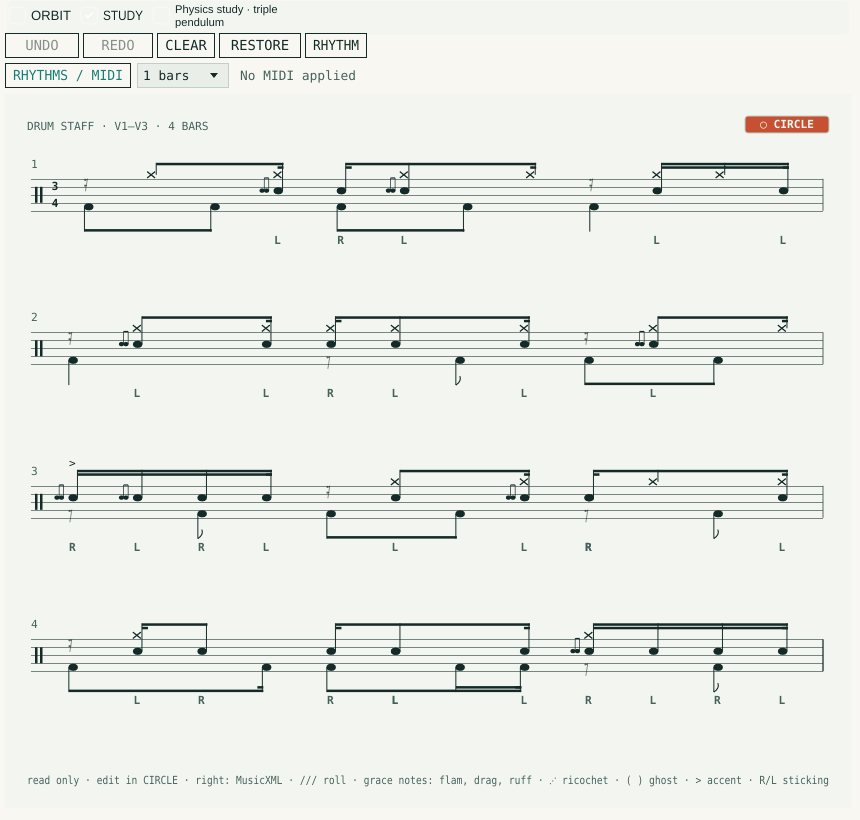
In the Study, the “♩ STAFF ⇄ ◯ CIRCLE” chip swaps the circle for the drum staff.
The staff shows the ornament signs and the sticking (R/L).
Right-click: “Export MusicXML (drums)…”, to open it in MuseScore or another score editor.
8. Scenes and recording
Keep versions and record what you played.
“Scenes” keeps versions in the session and exports or opens a .batruc.txt file.
“REC” records the stereo master as 24-bit WAV; the box next to it limits the length (5 min to start).
“Learn” opens LEARN inside the app; “About” shows the version, credits and licence.
Central rule
Generation writes; it does not filter behind your back. What the model writes stays editable, and RHYTHM mode plays exactly what is written.